GB10-class infrastructure for batch research inference
vLLM batch inference benchmarks for Gemma 4 12B on the NVIDIA RTX Spark and DGX Spark, with ASUS ProArt P14 tuning and how to raise the prefix cache hit rate
Technical notes · Posted 25 October 2026 · Updated 28 October 2026
Discuss this on X → Questions, or results from your own Spark? Reply there.
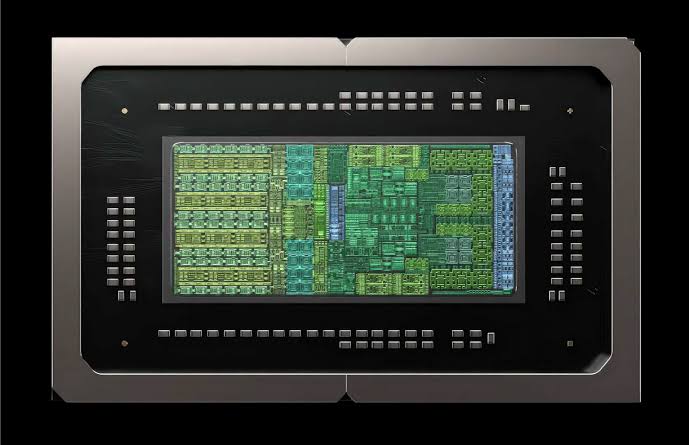
Hardware cost is one of the biggest bottlenecks for research with language models. It bites hardest when the data has to stay at the edge: patient records that cannot be sent to a cloud service have to be processed on machines the hospital or research group owns.
This is where NVIDIA’s compact GB10-class machines — the RTX Spark laptop and the DGX Spark desktop — stand out. Their large shared memory is only part of it. The bigger advantage is CUDA. The most capable open-source serving software, such as vLLM, is built for CUDA first. It uses continuous batching, paged KV-cache memory, prefix caching and optimised kernels for quantised models to keep hundreds of requests in flight at once. Machines without CUDA can hold large models in memory, but their software is generally built for one conversation at a time rather than hundreds of requests. On the Spark, batching is where the speed comes from: in my testing, Gemma 4 12B ran 1,000 concurrent requests on a laptop.
The setup: Google’s open Gemma 4 12B, served with vLLM 0.32 on an ASUS ProArt P14 with the RTX Spark chip (128 GB shared memory, 96 GB of it set aside for the GPU) under WSL2 Ubuntu. In these benchmarks by Dr Michael Valente, one record at a time ran at about 4 records a minute. At its best, with 1,000 requests in flight, it reached about 217 records a minute, roughly 50 times faster on the same machine. The same settings should carry over to the DGX Spark, which uses the same chip family.
Fastest run: about 217 records a minute
At full pace, the fastest full-length run in Dr Michael Valente’s RTX Spark benchmarks was finishing about 217 records a minute and computing about 2,600 tokens a second (roughly 1,100 writing answers and 1,500 reading prompts). At that rate, 500,000 records would take about 1.7 days. Here is how each change moved it:
| Model weights | Power profile | Requests at once | Records / min | Combined tok/s |
|---|---|---|---|---|
| 4-bit (QAT) | Standard | 1 | ~4 | – |
| 4-bit (QAT) | Standard | 480 | ~105 | ~1,350 |
| 4-bit (QAT) | Standard | 960 | ~116 | ~1,380 |
| FP8 | Standard | 900 | ~166 | ~2,020 |
| FP8 + async scheduling + xxhash | Manual (maximum) | 1,000 | ~217 | ~2,580 |
What it took: tuning the ASUS ProArt P14 (RTX Spark) and vLLM
- FP8 model weights. Switching from Google’s 4-bit checkpoint to
RedHatAI/gemma-4-12B-it-FP8-dynamicwas the biggest single gain, lifting the chip’s work rate by about 45%. With 4-bit weights, vLLM unpacks them to 16-bit before every calculation; FP8 weights run directly on the chip’s FP8 tensor cores. - The laptop’s power profile. The ProArt P14 ships on a Standard profile that holds the whole chip to 45 W. Switching to Performance in ProArt Creator Hub (not MyASUS) raised a GPU benchmark from 54.7 to 66.4 TFLOPS. The fastest run used Manual mode with the power limits at maximum. Before long runs, I also checked the GPU wasn’t stuck in a low-power state (about 1 GHz and 22 W under full load); a full shutdown with the charger unplugged at both ends clears it.
- Maximum GPU memory. GPU memory set to its maximum (96 GB) in the NVIDIA app, and a 60 GiB KV cache, the largest that would start alongside the FP8 weights.
- Two vLLM switches:
--async-scheduling, and--prefix-caching-hash-algo xxhash(which needspip install xxhash, or vLLM fails at start-up). - Stable long runs under Windows. With 96 GB reserved for the GPU, Windows and WSL
share only about 32 GB. One run lost the GPU after Windows ran low on memory, so I now clear
Linux’s page cache before starting vLLM, avoid heavy Windows jobs during runs, and run jobs as
systemd-runservices rather than in a console window.
The power profile and the two vLLM switches changed together in one run, so their individual shares aren’t separated. The FP8 weights carried a small but consistent accuracy cost against the 4-bit version on my task, so check this on your own data.
vLLM concurrency benchmark: 1 to 960 requests
Each setting was run over the same test set. A short test run finishes slowly as the last few records trickle through, which hides how fast a long job would go, so records per minute is measured over the middle of each run. The token rates are medians at full load: prompt is the speed of reading input, generation the speed of writing answers, and combined the two together. Prompt cache hits is the share of each prompt reused from requests already in memory rather than read again. Where a setting had several runs, figures are the average.
| Requests at once | Runs | Records / min | Prompt tok/s | Generation tok/s | Combined tok/s | Prompt cache hits | KV cache used |
|---|---|---|---|---|---|---|---|
| 1 | 1 | ~4 | – | ~28 | – | – | – |
| 240 | 3 | ~109 | 714 | 586 | ~1,300 | ~89% | ~21% |
| 320 | 1 | ~109 | 702 | 592 | ~1,290 | ~89% | ~28% |
| 480 | 3 | ~124 | 658 | 644 | ~1,300 | ~91% | ~39% |
| 960* | 1 | ~149 | 558 | 756 | ~1,310 | ~94% | ~55% |
*Run with --max-num-seqs 1024 and --max-num-batched-tokens 65536. Single run;
the rate is adjusted down from 159 for an end-of-test effect in the short run.
- Batching is worth about 36×. One record at a time took a median of 8 seconds each (about 4 a minute). With 960 in flight, the same laptop finished about 149 a minute.
- The machine doesn’t work harder at higher concurrency. From 240 to 960 at once it processed a steady ~1,300 tokens a second. What changes is how much work each record needs.
- Prompt cache reuse is the lever. Every record shares the same instructions, and the more records in memory at once, the more of each new prompt is already there: about 89% at 240, 91% at 480 and 94% at 960. Small gains here are large savings: going from 91% to 94% cuts the prompt reading left to do by a third. That is why generation takes a growing share of the same ~1,300 tokens a second as concurrency rises.
- There is a ceiling. Each record still needs about 300 tokens of answer written, which reuse can’t remove. Even with perfect reuse, this laptop would top out at about 250 records a minute.
- No run was capacity-limited. Even at 960 at once the KV cache was only about 55% used, with no waiting requests or preemptions.
Why single-chat benchmarks miss the point
Most consumer reviews of the Spark machines judge them on single-chat speed: how many tokens per second one conversation gets. By that measure they can look disappointing. Their memory bandwidth is modest next to high-end desktop graphics cards, and one chat can only use a small fraction of the chip. But that is the wrong test for research. A batch job doesn’t care how quickly any one answer appears, only how much work is finished overall.
My own tests show the gap. One request at a time, the model wrote about 28 tokens a second, in line with published single-user figures for this model on the DGX Spark. At that pace, 500,000 records would take about 84 days. With 1,000 requests in flight on the fastest setting, the same laptop was writing about 1,100 tokens a second (2,600 including prompt reading), and the job drops to about 1.7 days. That aggregate figure is what decides whether a large dataset is feasible, and it is exactly where CUDA’s mature batching software earns its keep.
Does accuracy hold?
Batching itself didn’t cost accuracy: across repeated runs, sending more records at once caused no measurable loss, and the small differences between runs went in both directions on different records each time, which is normal run-to-run noise. The FP8 weights are different: they gave a small but consistent drop against the 4-bit model on my task, on the same records every run. Whether that trade is worth a 45% speed-up depends on the job, so check accuracy on your own data before committing to a large run.
Why it matters
Private, on-site AI for research is often assumed to need a data centre. At these rates, a single laptop-sized machine could work through 500,000 records in about 1.7 days, with all the data staying on local infrastructure. That makes large-scale language-model studies realistic for clinicians and researchers without big computing budgets.
DGX Spark price vs an RTX PRO 5000 workstation
To run this workload with the 4-bit model you need a little over 60 GB of memory available to the GPU: about 7 GB for the model and 54 GB for the KV cache. The FP8 model with the same cache needs about 68 GB (my fastest run used a larger 60 GB cache, about 74 GB in total). The cheapest single graphics card with that much is the 72 GB RTX PRO 5000 Blackwell, which also needs a workstation to run in. Typical prices in October 2026:
| Hardware | GPU memory | USD | AUD |
|---|---|---|---|
| DGX Spark (or partner GB10 system) | 128 GB shared | ~$4,700–7,000 | ~$8,900–10,000 |
| RTX PRO 5000 Blackwell workstation (complete system, estimated) | 72 GB | ~$11,500–15,500 | ~$19,500–21,000 |
The workstation estimate is the card (about US$9,500–12,500 or A$16,000 on its own) plus a basic host PC with a modern CPU, 64 GB of system memory and fast storage. A setup like that, capable of the same concurrent load, costs roughly two to three times as much as a Spark. Prices have been volatile this year because of memory shortages: the DGX Spark launched at US$3,999 and has risen since.
To be fair to the graphics card, it has about five times the memory bandwidth (1,344 GB/s on the RTX PRO 5000, against about 270 GB/s on the Spark), so it would likely finish the same job faster. The Spark’s case is not that it is the fastest option. It is that it delivers enough throughput for serious batch research at a fraction of the cost, in a box that sits on a desk.
vLLM prefix cache hit rate: what each point of hit rate is worth
The Spark’s 128 GB matters for more than fitting the model. Every request in flight keeps its prompt in the KV cache, and the more requests memory can hold, the more shared prompt text is already there for the next one. That share is the prompt cache hit rate, and it converts directly into throughput.
The chip computes a fixed number of tokens a second: about 2,580 in my fastest run. Each record sends about 3,600 prompt tokens and gets back about 300 written ones. At that run’s 88.7% hit rate, only about 410 of the prompt tokens needed computing; the rest were reused. So while computing 2,580 tokens a second, the machine was delivering about 14,200 tokens a second of finished work (prompt plus answers, reused or not).
Because only the share not reused costs anything, each extra point of hit rate removes about 36 computed tokens per record, and each point is worth more than the last:
| Prompt cache hit rate | Prompt tokens computed per record | Records / min | Effective tok/s | Gain over measured |
|---|---|---|---|---|
| 88.7% (measured) | ~410 | ~217 | ~14,200 | – |
| 89.7% | ~370 | ~229 | ~14,900 | +760 tok/s |
| 90.7% | ~340 | ~242 | ~15,800 | +1,600 tok/s |
| 91.7% | ~300 | ~256 | ~16,700 | +2,550 tok/s |
| 92.7% | ~260 | ~272 | ~17,800 | +3,600 tok/s |
| 94.0% | ~220 | ~297 | ~19,400 | +5,200 tok/s |
Projected from the fastest run, holding the chip’s 2,580 computed tokens a second and ~300 written tokens per record fixed. Effective tok/s = records per minute × (prompt + written tokens per record) ÷ 60.
Roughly, every point of hit rate adds 12–16 records a minute, or 750–1,000 effective tokens a second, rising as the hit rate climbs. In practice the points are hard-won. In my long runs, more memory and concurrency (a larger cache, or a cache policy that protects shared instructions) bought about half a point to one and a half points, and running the cache above about 70% full cost one to two. The 94% row is what I saw early in each run, when every record is on the same step. That is the hardware case for memory headroom: a card with less memory has to hold the same requests in a fuller cache, and gives back points it can’t afford to lose.
Prompt design: how a layered decision pipeline raises the prefix cache hit rate
Memory only helps if the prompts are built to be reused. Mine are. Rather than one long prompt per record, the task is split into a sequence of short decisions, each its own request: a quick first screen, then more detailed checks only for records that pass it. A record ruled out at the first step is finished after one call, in a few seconds; only the records that need it go through every step. On average each record needed about 2.4 calls rather than the full set. The pipeline, and how accurately it performs, is described in my medRxiv preprint (plain-language summary).
This layout helps the cache in three ways:
- Every request at a step shares the same opening. Each step has its own fixed instructions, sent first as the system message, with the record last. So every request at that step starts with an identical block of text, and with hundreds of requests in flight that block is almost always already in the cache. Of about 1,600 prompt tokens per call, nearly 90% was reused; what was left was mostly each record’s own text and reasoning, which can’t be.
- The busiest step carries the most shared text. Every record passes through the first screen, and that step’s prompt includes a long block of worked examples. That is why the hit rate reached 94% early in each run, when all records were on the first step together. As records spread across the later steps, more different openings compete for the cache, and the hit rate settles at about 88%.
- Early exits save writing too. Records that stop at the first step write a short answer and leave, so far fewer tokens are generated than if every record went through every step.
Some practical rules that follow:
- Shared text first, record last. Reuse stops at the first token that differs, so a date, an ID or the record itself placed before the instructions throws away reuse for everything after it.
- Keep each step’s prompt identical, character for character. The same wording, whitespace and order of examples for every request; a single changed character early on breaks the match.
- Put the long shared material where most records go. Worked examples are cheapest in the step every record passes through, because that is where they get reused the most.
- Mind the block boundary. vLLM reuses whole blocks of 64 tokens, so the last part of each shared prompt, up to the next block edge, is recomputed every time. Across a full set of steps that cost about 80 tokens per record in my pipeline. Small, but it is paid on every call.
Recommended vLLM settings for the RTX Spark and DGX Spark
PYTORCH_CUDA_ALLOC_CONF=expandable_segments:True \
vllm serve RedHatAI/gemma-4-12B-it-FP8-dynamic \
  --served-model-name gemma4-12b-fp8dyn \
  --max-model-len 8192 \
  --gpu-memory-utilization 0.20 \
  --kv-cache-memory-bytes 64424509440 \
  --kv-cache-dtype fp8 \
  --max-num-batched-tokens 32768 \
  --max-num-seqs 1024 \
  --enable-prefix-caching \
  --prefix-caching-hash-algo xxhash \
  --async-scheduling \
  --limit-mm-per-prompt '{"image":0,"audio":0,"video":0}' \
  --seed 1234
with the client sending 1,000 requests at once, on the laptop’s Performance or Manual power profile.
- Use FP8 weights and an FP8 KV cache. FP8 weights run on the chip’s FP8 tensor cores. The FP8 cache halves the memory read for every token written, since each token means reading every running request’s cache.
- Set the KV cache size directly. Under WSL, a low
--gpu-memory-utilizationis only there to pass vLLM’s startup memory check;--kv-cache-memory-bytesdoes the real work. 60 GiB was the largest that started with the FP8 weights, and anything above about 54 GiB needsPYTORCH_CUDA_ALLOC_CONF=expandable_segments:True. - Raise the limits with concurrency.
--max-num-seqsmust be above the number of requests you send. - Install xxhash first.
--prefix-caching-hash-algo xxhashneedspip install xxhashin the vLLM environment; without it, vLLM accepts the option and then fails at start-up. - Switch off all unused inputs. Gemma 4 also accepts images, audio and video. Set all
three to zero: leaving out
videostill loads the vision encoder. - Design prompts for reuse. Turn on prefix caching, put shared instructions first and the record last, and keep each step’s prompt identical (see prompt design above).
- Under the hood: attention runs on Triton (vLLM refuses FlashInfer for this model), and the cache block size stays at 64 tokens, so prefix caching works at a fine grain.
Frequently asked questions
How fast is the RTX Spark or DGX Spark for LLM inference?
It depends on whether you run one request or many. In Dr Michael Valente’s tests with Gemma 4 12B in vLLM, a single request generated about 28 tokens per second, or about 4 records a minute. With 1,000 concurrent requests and FP8 weights, the same GB10 chip processed about 2,600 tokens per second combined and about 217 records a minute, roughly 50 times more completed work.
Is the DGX Spark good for batch inference?
Yes. Its memory bandwidth limits single-chat speed, but CUDA serving software such as vLLM keeps hundreds of requests in flight and reuses shared prompts through prefix caching. Dr Michael Valente’s fastest run reached about 217 records a minute, which puts 500,000 records at about 1.7 days on one machine.
What vLLM settings work best on the RTX Spark and DGX Spark?
For batch jobs: FP8 weights (RedHatAI/gemma-4-12B-it-FP8-dynamic), an FP8 KV cache, prefix caching with shared instructions at the start of every prompt, --async-scheduling, --prefix-caching-hash-algo xxhash, the KV cache size set directly with --kv-cache-memory-bytes, and --max-num-seqs above the number of concurrent requests. The full command is in the settings section above.
Why is my RTX Spark or DGX Spark running slower than expected?
Check the power profile first. Dr Michael Valente’s ASUS ProArt P14 shipped on a Standard profile that holds the whole chip to 45 W; switching to Performance in ProArt Creator Hub raised a GPU test from 54.7 to 66.4 TFLOPS. GB10 machines can also get stuck in a low-power state (about 1 GHz and 22 W under full load), which DGX Spark and ASUS GX10 owners report too. A full shutdown with the charger unplugged at both ends cleared it.
How do I make my ASUS ProArt P14 faster for AI and LLM inference?
Switch the power profile in ProArt Creator Hub (Operating mode), not MyASUS: the default Standard profile holds the whole chip to 45 W, and Performance raised a GPU test from 54.7 to 66.4 TFLOPS in his testing. Set GPU memory to its maximum (96 GB) in the NVIDIA app and recheck it after driver updates. If the GPU sits at about 1 GHz and 22 W under full load, do a full shutdown with the charger unplugged at both ends to clear the stuck low-power state. Under WSL2, leave Windows memory headroom and avoid heavy Windows jobs during long runs.
How do I improve the vLLM prefix cache hit rate?
Put shared instructions and examples at the start of every prompt and the variable record last, keep each prompt identical character for character, and split work into steps so every request at a step shares the same opening. Put long shared material, such as worked examples, in the step most requests pass through. Keep the KV cache below about 70% full, since a fuller cache evicts shared blocks. In Dr Michael Valente’s runs, each point of hit rate was worth roughly 12 to 16 more records a minute.
How much does a DGX Spark cost compared with a GPU workstation?
In October 2026, a DGX Spark or partner GB10 system cost roughly US$4,700 to 7,000 (A$8,900 to 10,000). A workstation built around a 72 GB RTX PRO 5000, the cheapest single card that can carry a comparable concurrent load, costs roughly two to three times as much.
Join the discussion: tried this on your own RTX Spark, DGX Spark or ProArt P14, or found a better hit rate? Reply to the post on X.
Related: Can an AI running inside the hospital spot a stroke in a triage note? — the study this pipeline comes from.
How to cite this page
Valente M. GB10-class infrastructure for batch research inference: RTX Spark and DGX Spark vLLM benchmarks with Gemma 4. drmvalente.com.au. Published 25 October 2026. Updated 28 October 2026. Available from: https://www.drmvalente.com.au/blog-rtx-spark-dgx-spark-batch-inference.html
BibTeX
@online{valente2026,
  author  = {Valente, Michael},
  title   = {GB10-class infrastructure for batch research inference: RTX Spark and DGX Spark vLLM benchmarks with Gemma 4},
  year    = {2026},
  month   = {oct},
  url     = {https://www.drmvalente.com.au/blog-rtx-spark-dgx-spark-batch-inference.html},
  note    = {drmvalente.com.au}
}
Text © 2026 Dr Michael Valente, licensed under CC BY 4.0: you may share and adapt it with credit to Dr Michael Valente and a link to this page. Images are not covered by this licence.
These are notes from my own testing on one laptop, shared to help others working on similar problems. Results will depend on your hardware, software versions and workload.
← Back to all research summaries